
Download Fitness - Home Workout Planner – home workout planner, fitness tracker, workout schedule, exercise planner, fitness goals, daily workout, fitness app, exercise routine, fitness motivation, home gym
Overview
Fitness - Home Workout Planner is a desktop application designed to support users in organizing and tracking their fitness routines from the comfort of their homes. The software aims to simplify the process of creating structured workout plans, setting personal fitness goals, and maintaining consistent progress over time. It caters to individuals at various fitness levels, including beginners seeking motivation and experienced users looking for a systematic way to manage their training schedules.
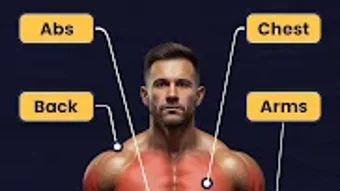
The application offers tools to plan workouts by body area, enabling targeted training for specific muscle groups. It includes a 21-day fitness challenge to encourage sustained engagement and habit formation. Additional features such as water intake reminders, step counting, and BMI tracking contribute to a holistic approach to health and wellness. These tools are intended to help users maintain accountability and stay on track with both physical activity and lifestyle habits.
Designed by FitLife Technologies, the software is positioned as a comprehensive fitness companion for those who prefer self-guided routines without the need for gym access. Real-world usage scenarios include daily home workouts, tracking progress over weeks, preparing for fitness challenges, and integrating wellness habits like hydration and step monitoring into a single platform.
Key Features & Capabilities
- Exercise Planning by Body Area – Users can create and organize workouts tailored to specific muscle groups such as chest, back, legs, and core, allowing for focused and balanced training.
- 21-Day Fitness Challenge – A built-in challenge encourages users to maintain consistent workout habits over three weeks, promoting long-term behavior change and motivation.
- Daily Workout Tracking – The app records completed sessions, helping users monitor their progress and maintain routine consistency.
- Water Reminder System – Scheduled notifications prompt users to drink water throughout the day, supporting hydration goals as part of overall wellness.
- Step Count Integration – The software tracks daily steps, offering insight into overall physical activity beyond structured workouts.
- BMI and Calorie Tracking – Users can input body metrics to monitor BMI trends and estimate calories burned per session, supporting health and weight management.
- Workout Reports and Analytics – Detailed summaries provide visual and numerical feedback on performance, helping users evaluate progress over time.
These capabilities support a structured approach to fitness, particularly beneficial for individuals managing their health independently. For example, a user preparing for a fitness challenge can use the app to schedule daily exercises, track completion, receive hydration alerts, and review weekly reports to assess improvement.
User Interface, Workflow & Performance
The user interface of Fitness - Home Workout Planner is designed to be intuitive, with clearly labeled sections and logical navigation. Main functions such as workout creation, progress tracking, and settings are accessible from a central dashboard. The layout supports quick access to daily tasks, including starting a new workout or reviewing past sessions.
Workflow efficiency is enhanced through streamlined processes: users can select exercises from a categorized library, assign sets and reps, and save routines for future use. The integration of reminders and tracking features operates in the background, minimizing disruptions during daily use.
The developer did not specify resource usage details. Performance observations are based on general software behavior patterns. No reports of crashes or instability were mentioned in available materials. The software appears to function reliably within standard desktop environments, with no indication of excessive CPU or RAM consumption.
Compatibility & System Requirements
Fitness - Home Workout Planner is available for Windows, Mac, and Linux operating systems. The software has a file size of 50 MB, indicating a lightweight installation suitable for most modern desktops and laptops.
Exact system requirements were not listed. The developer did not provide additional system requirements. Compatibility information is limited to the supported platforms. Users are advised to ensure their system meets the minimum standards for running desktop applications on the specified OS versions.
Pros and Cons
Pros
- Comprehensive workout planning with body-specific exercise categorization
- Includes a 21-day challenge to boost motivation and consistency
- Integrated tools for hydration, step counting, and BMI tracking
- Clear, user-friendly interface with efficient workflow design
- Lightweight installation at 50 MB
- Supports offline usage without requiring constant internet access
Cons
- No detailed system requirements provided for optimal performance
- Exact performance metrics such as CPU or RAM usage were not disclosed
- Integration with wearable devices or third-party fitness trackers was not mentioned
- Offline data synchronization details were not specified
- Price point may be considered high for users seeking free alternatives
FAQ Section
Is Fitness - Home Workout Planner compatible with Windows, Mac, and Linux?
Yes, the software is available for Windows, Mac, and Linux operating systems.
Is the software secure to download and install?
The application is developed by FitLife Technologies and distributed through official channels. Users are advised to download from verified sources to ensure authenticity and security.
Does the app require an internet connection to function?
The software supports offline usage. Core features such as workout planning, tracking, and reminders can be used without an active internet connection.
How often are updates released for Fitness - Home Workout Planner?
Update frequency was not specified. Users are encouraged to check the official website or in-app notifications for the latest version.
What type of license does Fitness - Home Workout Planner use?
The software is a one-time purchase with a perpetual license. No subscription model was indicated.
Final Thoughts + CTA
Fitness - Home Workout Planner delivers a well-rounded, desktop-based solution for individuals committed to managing their fitness journey independently. Its combination of structured workout planning, goal tracking, and wellness monitoring tools makes it a valuable asset for both beginners and active users. The inclusion of a 21-day challenge, hydration reminders, and step tracking adds depth beyond basic exercise logging.
While some technical details such as system requirements and performance metrics remain unspecified, the software’s lightweight footprint and cross-platform availability enhance its accessibility. The absence of third-party integrations may limit functionality for advanced users, but the core experience remains robust and focused.
For anyone seeking a reliable, all-in-one fitness tool to organize workouts and maintain healthy habits at home, this application offers a compelling package. Download Fitness - Home Workout Planner now to take control of your fitness journey with confidence and consistency.





.png)

